Start here: what Dear Tchaikovsky is and how to find your way
What is on the site, how much of it there is, the main sections and the four quickest ways in: search, Start listening, the age slider and the letter of the day.
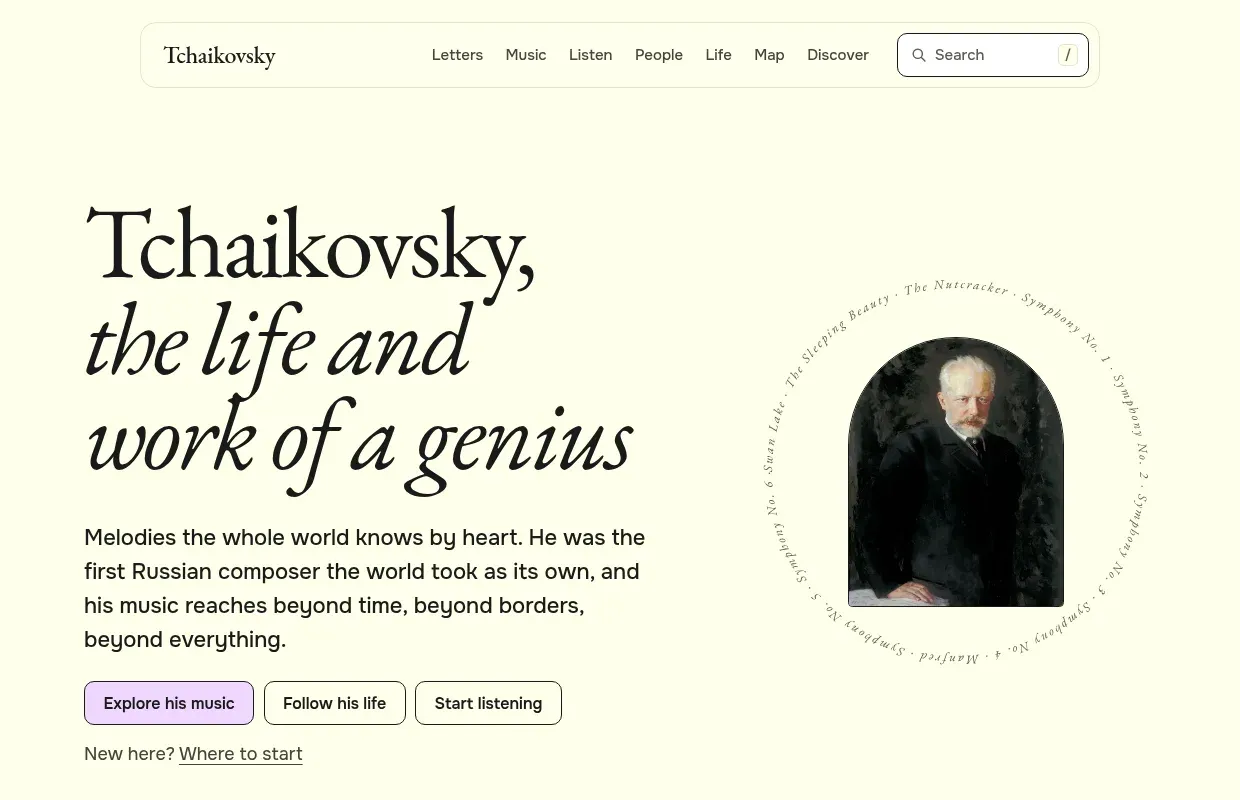
Dear Tchaikovsky is a free website about Pyotr Ilyich Tchaikovsky (1840–1893): his letters, his music, his life, the people around him and the places he lived in and travelled to. Every page exists in English and in Russian. There are no accounts, no ads and nothing to buy.
This article explains what you will find and how to get around. You do not need to read music or know anything about him to use the site.
What is on the site
The heart of the site is his correspondence. Tchaikovsky wrote a great many letters, and the site has 5,387 of them, from a boy’s letter of 1848 to the last ones he wrote days before he died in November 1893. Each letter has its original text and a translation, side by side.
Around the letters sit:
- 258 works, from the ballets and symphonies to songs, piano pieces and arrangements, each with its own page;
- 626 people: family, friends, musicians, publishers, his patron Nadezhda von Meck, and many people he only mentions;
- 152 places, from his birthplace, Votkinsk, to New York, where he conducted at the opening of Carnegie Hall in 1891;
- a life story in eight chapters, a page for every year and a page for every day of the calendar.
Counting both languages, that comes to more than 14,000 pages. Most of the texts come from Tchaikovsky Research, a scholarly wiki that publishes his letters and the catalogue of his works. Pictures come from Wikimedia Commons, recordings from the Internet Archive and YouTube. The article How the site is made explains where everything comes from.
The main sections
The menu at the top of every page has seven items:
- Letters: all letters by year, his main correspondents, and the letter of the day.
- Music: every work, grouped by genre, with charts of what he wrote when.
- Listen: a first-listen guide to the best-known works, with one recording each.
- People: everyone he wrote to, ranked by the number of letters, plus his family tree and circle.
- Life: his life in eight chapters, with the age slider and a ribbon of the years.
- Map: where he lived and travelled, year by year.
- Discover: picture doors into the site for newcomers, and short guides such as “Where to start”.
The footer at the bottom of every page lists everything else under “Explore”: over thirty smaller sections, from Quotes to share to Play a theme. The footer is also where you switch language: “English” and “Русский” take you to the same page in the other language.
The four quickest ways in
1. Search
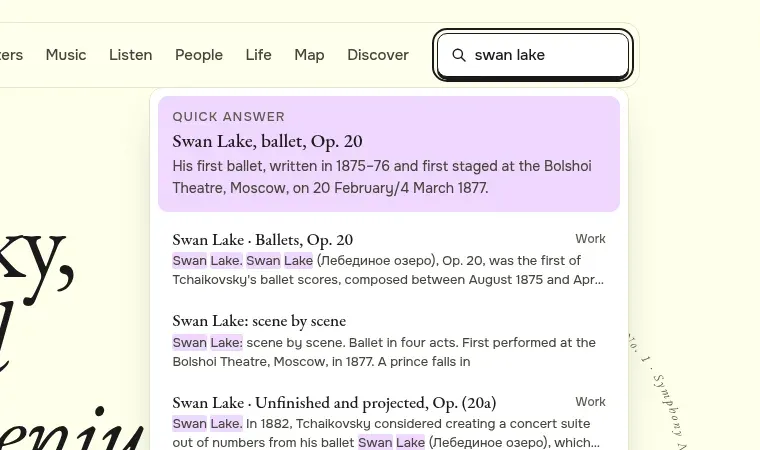
The search box is in the top right corner of every page. Press / or Ctrl+K (Cmd+K on a Mac) to jump straight into it from anywhere. Results appear as you type: works, letters, people, places and stories. Common questions get a short answer at the top, so “swan lake” shows the ballet’s date and theatre before the list.
How to find a page with search
- Press / on any page, or click the search box.
- Type a few letters of a name or title, for example “meck” or “onegin”.
- Use the arrow keys to move through the results and Enter to open one, or press Enter straight away to see all results with filters.
The article Searching well has more tips.
2. Start listening
If you came for the music, press Start listening on the home page. It opens the listening paths: short routes through his music, such as “Your first hour” or “The symphonies in order”, that play freely licensed recordings right on the page. Nothing plays until you press a play button.
3. The age slider
On the Life page there is a green panel called “What was he doing at your age?”. Move the slider, or press the − and + buttons, to pick an age from 0 to 53. The panel shows the year, where he was, which works he began, how many of his letters survive from that year and what happened. At 37, for example, he married, fled the marriage within weeks and began the Fourth Symphony and Yevgeny Onegin.
The age you pick is kept in the address (for example #age-37), so you can send someone the exact panel.
4. The letter of the day
Every day the site picks one letter written on the same day and month, in some year of his life. You see its opening on the home page under “In his own words”, and the whole letter on Today’s letter. The same date always gives the same letter. If you like a short read each morning, the RSS feed brings you the letter of each day.
On a phone
Everything works on a phone. The menu wraps under the site name, the search button opens a full-screen search, and long tables and maps scroll sideways inside their own boxes rather than the whole page.
What to read next
The rest of this guide takes one part of the site at a time:
- Reading his letters
- Exploring a work
- His life, year by year
- People and places
- Play and learn
- Make it yours
- For teachers and young readers
- How the site is made
- Searching well
If something on a page looks wrong, every page has a “Report an error” link in its footer.
Try it. Set the slider to your own age and see what he was doing then. Then press “All of” that year to read the year’s page.