Searching well
How to get the most from search: the quick search in the header, quick answers, filters by type, genre, key, year and correspondent, spelling variants, keys in three languages, and searching in Russian.
The site has more than 14,000 pages, so search is often the fastest way to what you want. It is simple to use, but a few habits make it much better. This article covers the search box in the header, the full search page with its filters, and what to do when a name can be spelt in several ways.
The quick search in the header
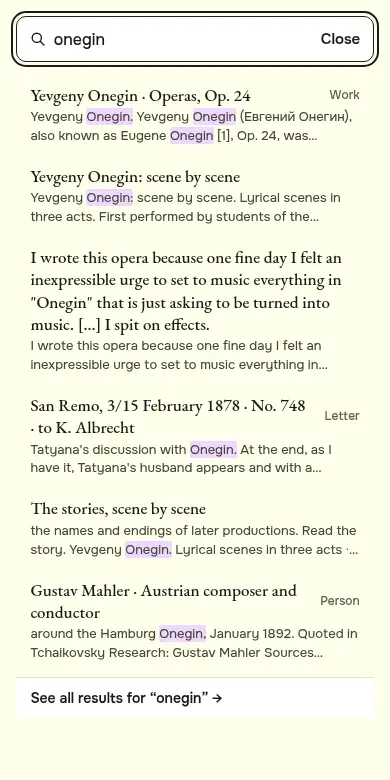
Every page has a search box in the top right corner. Press / or Ctrl+K (Cmd+K on a Mac) to jump into it without the mouse. Start typing and the six best matches appear under the box, each marked as a work, letter, person, place or story. Move through them with the arrow keys, press Enter to open one, or Esc to close the list. At the bottom, “See all results” opens the full search page.
On a phone, tap Search and the search opens over the whole screen.
Quick answers
Some questions are asked so often that the site answers them directly, in a purple “Quick answer” card above the results: when he was born, when and how he died, where he is buried, who his wife was, who Nadezhda von Meck was, what The Nutcracker and Swan Lake are, and how many symphonies he wrote. Each card links to the page with the full story.
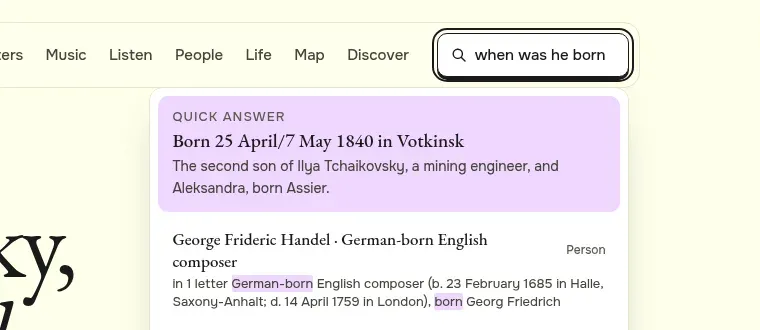
You can type questions in ordinary words. Words such as “when”, “who”, “how” and “his”, and his own name, are dropped before searching, because every page would match them. So “when was Tchaikovsky born” searches for “born”.
For questions that need an answer drawn from many letters, such as “What did he think of Brahms?”, try Ask the letters. It writes a short answer from passages of his letters and links every letter it uses.
The search page and its filters
Press Enter in the header box, or open Search, for the full results. The page shows how many results there are and ten at a time, with “more” at the bottom. Long pages show up to three of their sections that match, so you can jump straight to the part about your word.
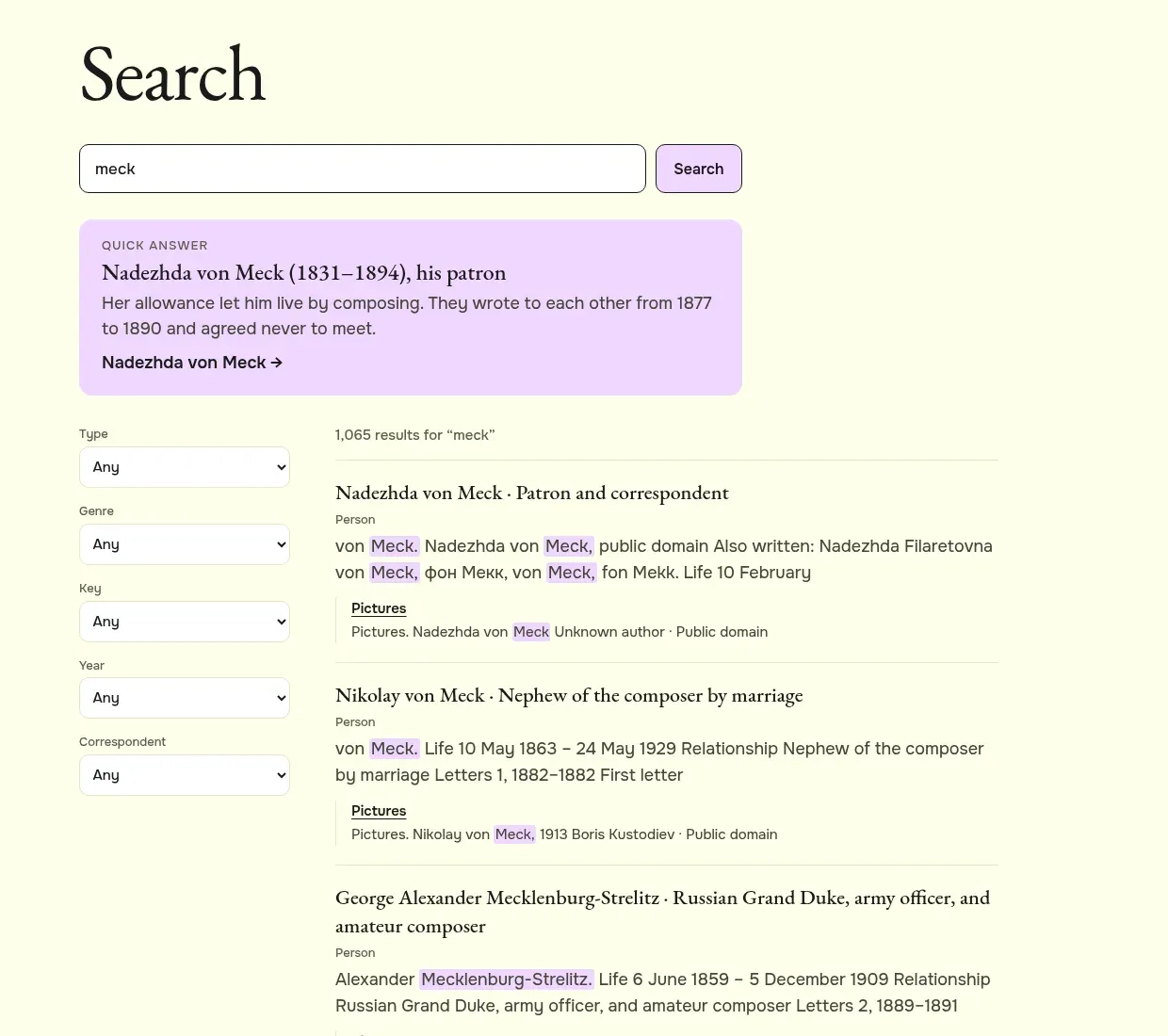
Filters on the left narrow the results:
- Type: only letters, works, people, places or stories.
- Genre: for works, such as symphonies or songs.
- Key: for works, such as F minor.
- Year: the year a letter was written, or the year he began a work.
- Correspondent: for letters, the person he wrote to.
Each choice shows how many results it would leave. The search and the filters are kept in the page address, so you can bookmark a search or send it to someone. On a phone the filters are behind a button above the results.
How to find his letters to one person in one year
- Open Search and type a word from the subject, for example “symphony”.
- Under Type, choose letters.
- Under Correspondent, choose the person, for example Nadezhda von Meck.
- Under Year, choose the year, for example 1878.
How matching works
Search looks for whole words and for the start of words. “Rubin” finds Rubinstein, and “symphon” finds symphony and symphonies. It does not correct typing mistakes, so if nothing comes up, check the spelling or type fewer letters.
Russian names can be written in English in several ways: Tchaikovsky, Chaikovsky, Tschaikowsky. People and places list their other spellings on their pages under “Also written”, and search reads those too, so “fon Mekk” still finds Nadezhda von Meck. If a name does not work, try the start of it, or the way it is spelt in German or French.
Some lists have their own filters that are more forgiving. The People page has a name box that ignores capital letters and accents and treats ё and е as the same, and Places are listed A to Z.
Keys in three languages
Musicians name keys differently in different countries. On Works by key the key search understands English, German and Russian spellings, so “F minor”, “f-Moll” and “фа минор” all lead to the same key, with every work written in it.
Searching in Russian
The English site searches English pages and the Russian site searches Russian pages. To search in Russian, switch the language first with “Русский” in the footer, then type in Russian. Searching the start of a word helps with Russian endings: “симфони” finds «симфония», «симфонии» and «симфоний».
Letters are an exception worth knowing: the Russian original of a letter is on the English page too, beside its translation. So on the English site you can search a Russian word from a letter, and on the Russian site you can search an English one.
When you know exactly what you want
Some pages have addresses you can type directly:
- a letter by its number:
/en/letters/763/; - a year of his life:
/en/chronology/1878/; - a day of the calendar, month then day:
/en/day/05-07/is 7 May, his birthday; - all the letters of a year:
/en/letters/year/1878/.
Try it. Search for “Brahms”, choose letters under Type, and see in which years he wrote about him.