Make it yours: save, share, cite and download
How to keep your own collection of letters, works, quotes and people with notes, share it as a link, send a quote card, cite a page correctly and download the site's data.
Reading the site is only half of it. You can also keep what you find, add your own notes, send a line from a letter to a friend, cite a page in an essay, or take the data away and work with it yourself. None of this needs an account.
Save what you find
Letters, works, quotes and people have a Save button near the top of the page, with a small heart. Press it and it turns to “Saved”. Press it again to remove the item. The header shows how many things you have saved; click it to open My Tchaikovsky.
My Tchaikovsky lists what you saved in four groups: letters, works, quotes and people. Under each item is a box for your note, for example why you saved it or what to do with it. The arrows move an item up or down, and the cross removes it.
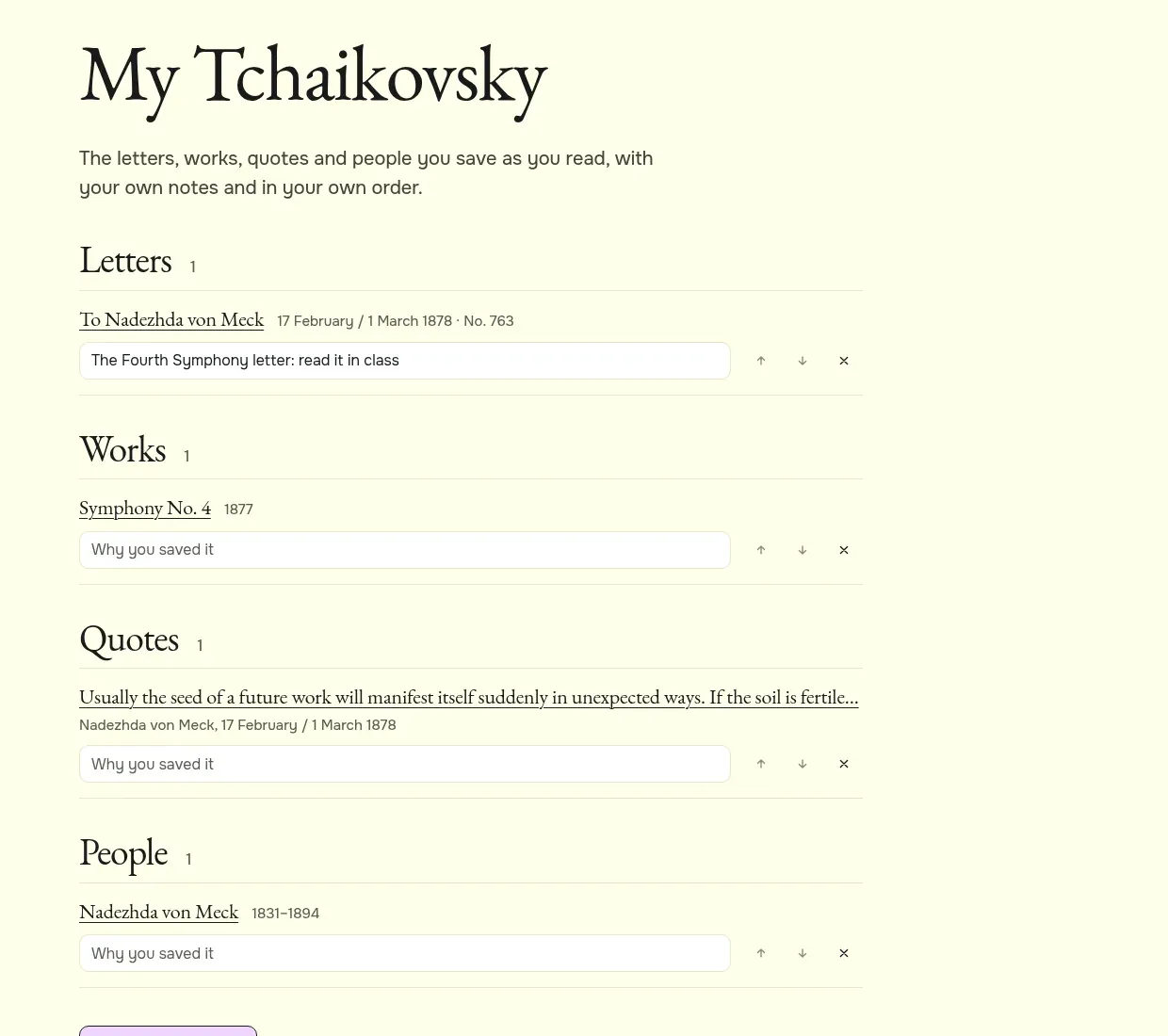
Where your collection is kept
Your collection is stored in your own browser, on your own device. Nothing is sent to the site. That means it is private, and it also means:
- it is not on your other devices: a list saved on your laptop is not on your phone;
- clearing the site’s data in your browser clears the list;
- if the browser blocks storage, as some private windows do, the list lasts only until you leave the page, and the page tells you so.
Share the collection
To move a list to another device, or to send it to someone, press Share my collection at the bottom of My Tchaikovsky. You get a link with the items packed into it; Copy link copies it. Whoever opens the link sees your list, without your notes, and can press “Add all to my collection” to add it to their own. Nothing in their list is replaced.
How to make a reading list for a class
- Open each letter, work or person you want and press Save.
- Open My Tchaikovsky and put the items in order with the arrows.
- Press Share my collection, then Copy link.
- Send the link to your students. They open it and see the same list.
Quote cards
Quotes to share has 81 short passages from his letters, each made into a picture with his portrait. They are grouped by theme; the buttons at the top show one theme at a time. Every quote is taken word for word from a letter on the site, and its page links to the whole letter.
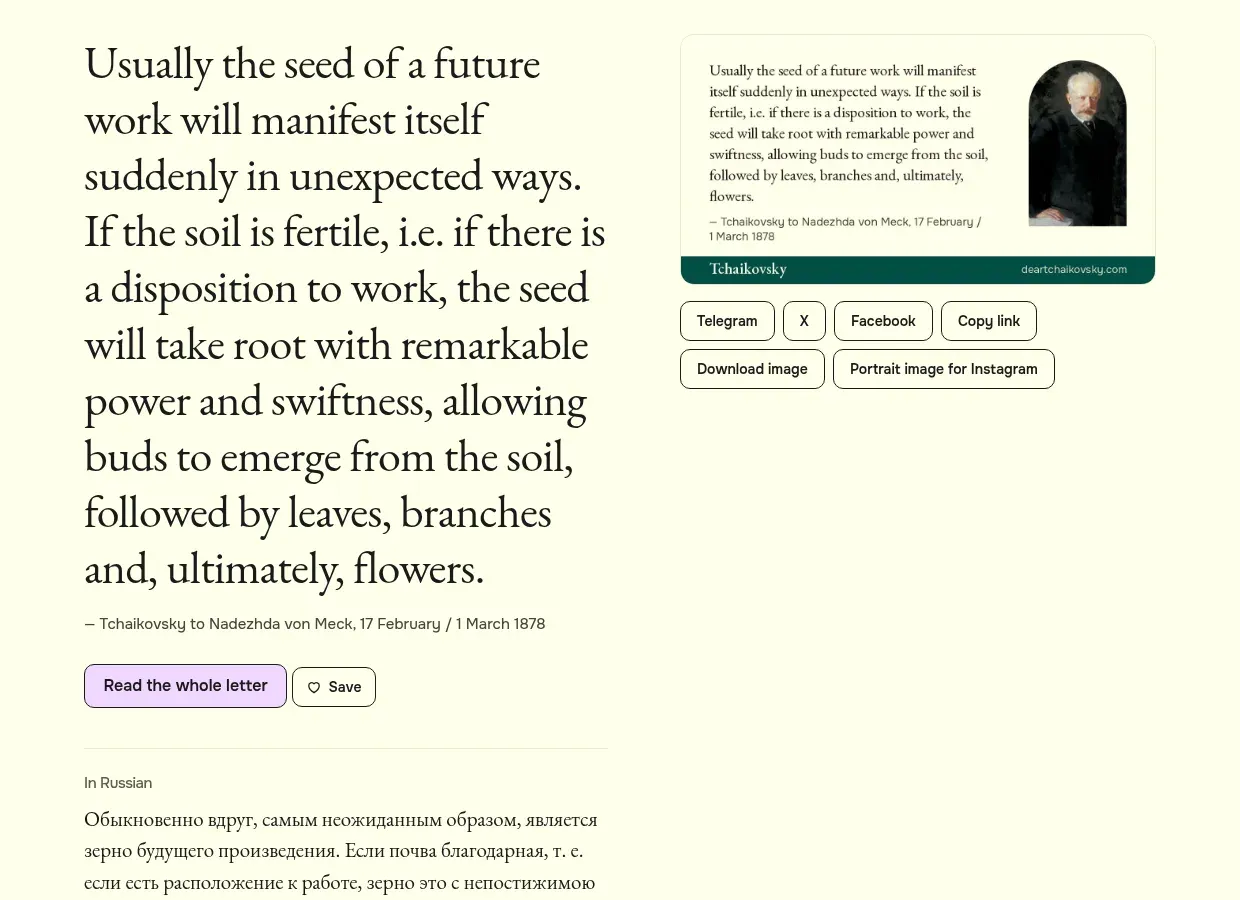
On a quote page you can:
- share the link on Telegram, X or Facebook, or copy it;
- download the card as a picture, wide for messages or tall for Instagram;
- read the same quote in the other language, with a note on whose translation it is.
When a letter has a quote card, its page has a link “Share a line from this letter”. The share buttons are plain links: no tracking scripts are loaded.
Cite a page
Pages for letters, works, people, places and stories have a folded box called Cite this page. Open it to get a ready citation in three styles: plain text, Chicago, and BibTeX for reference managers. Each gives the page title, the site name, the address and the date the page was last updated. A letter’s citation also names the translation shown on the page and the printed edition, where known.
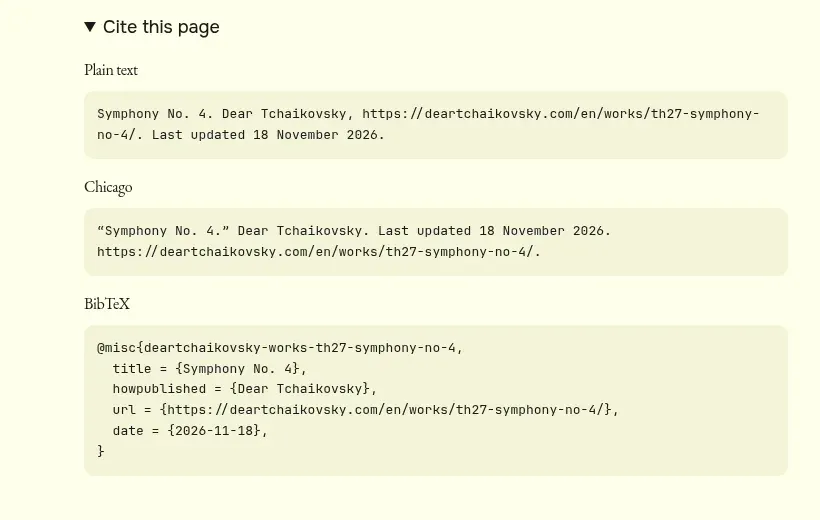
If you quote a translation made for this site, say so: the citation already does. For anything you publish, the safest source to quote is the original text, which is always beside the translation. The article For teachers and young readers has a simpler citation for school work.
Download the data
The Open data page offers the records the site is built from as files you can open in a spreadsheet or load in code: works, letters, people, places, his stays and the chronology, in JSON and in CSV. The CSV files open in Excel with Russian letters intact.
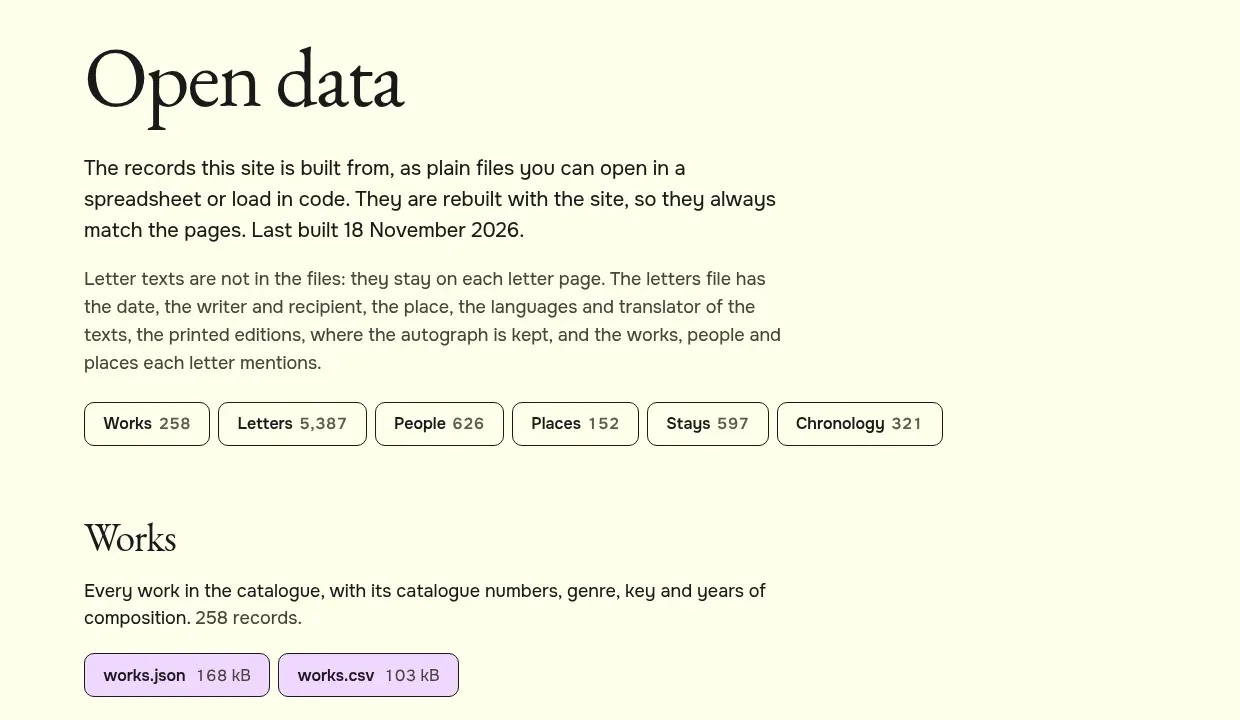
The letters file holds the facts of each letter (date, writer and recipient, place, languages, translator, printed editions, where the autograph is kept, and the works, people and places it mentions), but not the letter texts, which stay on the letter pages. The files are rebuilt with the site, so they always match the pages.
The data is shared under the Creative Commons licence CC BY-NC-SA 4.0, like most of the site: you may reuse it for non-commercial work if you credit the source and share what you make on the same terms. The page gives a credit line you can copy.
Try it. Pick a quote you like, save it, and open My Tchaikovsky to add a note saying why.